


On our VPS's you can always use our mail service free of charge, also referred to as 'Carefree Mailing'. With this service you will use our mail services to relay outgoing e-mail. In order to use the mail service, a one-time configuration in WHM of Exim on your VPS is required.
Step 1
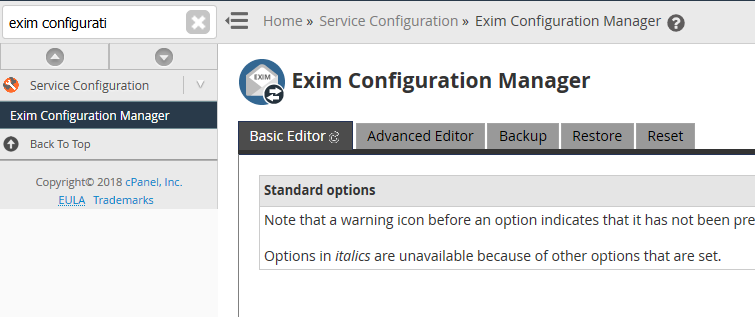
Log in to WHM and go to Home > Service Configuration > Exim Configuration Manager. Once there, click the 'Basic Editor' tab.
Step 2
Search for Smarthost Support under the tab labeld Mail. Provide the smart host name * vps.transip.email Please note there's a space between the * (asterisk) and the host name. Then, click on Save.

Step 3
In the top, click on the tab 'Advanced Editor' and scroll down to Section: ROUTERSTART. If you prefer using the mail limits as configured in cPanel, instead scroll down to Section: POSTMAILCOUNT.
Add the code below under Section: POSTMAILCOUNT or Section: ROUTERSTART (tip: search your browser for postmailcount or routerstart with ctrl + f):
remoteserver_route:
  driver = manualroute
  transport = remoteserver_relay
  domains = !+local_domains
  route_list = * vps.transip.email
Stap 4
Scroll down / search for Section: TRANSPORTSTART and add:
remoteserver_relay:
  driver = smtp
  port = 587
  hosts_require_auth = $host_address
  hosts_require_tls = $host_address
Stap 5
Now scroll down to / search for Section: AUTH and add the code below (replace user@domain.com : password by your own user name and password) :
remoteserver_login:
  driver = plaintext
  public_name = LOGIN
  hide client_send = : user@domain.com : password
Stap 6
At the end of the page, click 'Save' to have the changes take effect. Your now ready to start using the VPS mail service!